




Your blog post got 47 views, two likes, and one spam comment.
Meanwhile, your Instagram Reel that took 90 minutes to plan, film, and edit? It flopped at 200 views and zero clicks to your site.
The problem isn’t your content. The problem is where you’re putting it.
Instagram wants you to stay on Instagram. TikTok wants you glued to TikTok. Facebook has been burying links to external sites for years. These platforms aren’t designed to help your blog grow—they’re designed to keep eyeballs in their apps so they can sell more ads.
Pinterest works differently. It’s a visual search engine built on the idea that people come looking for solutions and leave to find them on your website. Every pin is a potential doorway back to your blog.
If growing your blog traffic is the goal, you need a platform that’s actually on your side. Let’s compare where your effort pays off—and where it’s just spinning wheels.
Table of Contents
What Makes Pinterest Different from Other Social Media Platforms
Pinterest isn’t social media. It’s a visual search engine that happens to look pretty.
While Instagram, TikTok, and Facebook want to trap users inside their apps, Pinterest’s entire business model depends on sending people elsewhere. Every pin is a potential link back to your blog. That’s not a happy accident—it’s the platform’s design.
Here’s what that means for your blog strategy:
Longevity Over Virality
Your Instagram Reel gets 48 hours of visibility (if you’re lucky). Your TikTok has maybe a week. But a well-optimized Pinterest pin? That thing can drive traffic for months—even years. Pinterest content has a six-month average lifespan, and top-performing pins can stay active far longer.
Search Intent vs. Scroll Intent
On Instagram, users are passively scrolling. On Pinterest, they’re actively searching for solutions. Someone typing “how to start a blog for beginners” into Pinterest is ready to click, read, and potentially buy. That’s blog-friendly traffic.
One Pin = Multiple Traffic Opportunities
Create one pin today, and Pinterest’s algorithm will keep showing it to new users over time. You’re not starting from zero every single day like you do on Instagram or TikTok.
Pinterest vs. Instagram for Bloggers
Instagram is great for community building. Pinterest is better for traffic generation. Both matter—but if you’re choosing where to invest your limited time, Pinterest wins for bloggers.
Instagram Strengths:
- Strong for personal brand building
- Great for real-time connection with your audience
- Ideal for behind-the-scenes content and storytelling
- Effective for launching digital products to a warm audience
Instagram Challenges for Blog Traffic:
- No clickable links in captions (only bio link or Stories)
- Content lifespan is 24-48 hours max
- Algorithm prioritizes keeping users in-app
- Reach has declined significantly for most accounts since 2023
Pinterest Strengths:
- Every pin includes a direct link to your blog
- Content stays discoverable for months
- Users are actively searching (high intent traffic)
- Less competition than Instagram for most niches
- Easier to batch content with Pinterest automation tools
Pinterest Challenges:
- Requires consistent pinning (daily is ideal)
- Design quality matters more than on other platforms
- Takes 3-6 months to build momentum
- Not ideal for real-time engagement
The Verdict: Use Instagram to build relationships. Use Pinterest to build traffic. If you can only pick one? Choose Pinterest.
Pinterest vs. TikTok for Blog Growth
TikTok can absolutely send traffic to your blog—if you go viral. But that’s a big “if,” and it’s not a strategy you can control or replicate consistently.
TikTok Strengths:
- Massive reach potential (even for new accounts)
- Video content can showcase personality fast
- Trending audio gives you built-in visibility
- Great for faceless account ideas if you prefer staying off-camera
TikTok Challenges for Bloggers:
- Extremely time-intensive to create quality videos
- Content lifespan is days, not months
- No clickable links unless you hit 10K followers or use TikTok Shop
- Traffic spikes are unpredictable and often short-lived
Pinterest Advantages:
- Static images work just as well as video pins (less production time)
- You can start driving traffic from day one
- Consistent results beat viral spikes for long-term blog growth
- Less trend-dependent (your evergreen content stays relevant)
The Verdict: TikTok is worth exploring if you love making videos and can commit serious time. But Pinterest delivers more reliable, long-term results for most bloggers.
Pinterest vs. Facebook for Driving Blog Traffic
Facebook used to be the go-to platform for bloggers. In 2026? It’s losing ground fast—especially for newer creators.
Facebook Strengths:
- Facebook Groups can build loyal communities
- Older demographic (30-65) may align with certain blog niches
- Long-form text posts still work in groups
- Possible to share blog links directly in posts
Facebook Challenges:
- Organic reach on pages is nearly dead (under 5% for most accounts)
- Algorithm heavily favors video content over links
- You’re competing with friends, family, and ads for attention
- Younger audiences have largely abandoned the platform
Pinterest Advantages:
- Organic reach is still strong and growing
- No algorithm penalty for sharing external links
- Better demographic match for most lifestyle, DIY, and business bloggers (25-45 age range)
- Designed specifically to support content creators, not just advertisers
The Verdict: If you already have an engaged Facebook Group, keep nurturing it. But don’t build your blog strategy around Facebook in 2026. Pinterest offers better ROI for your time.
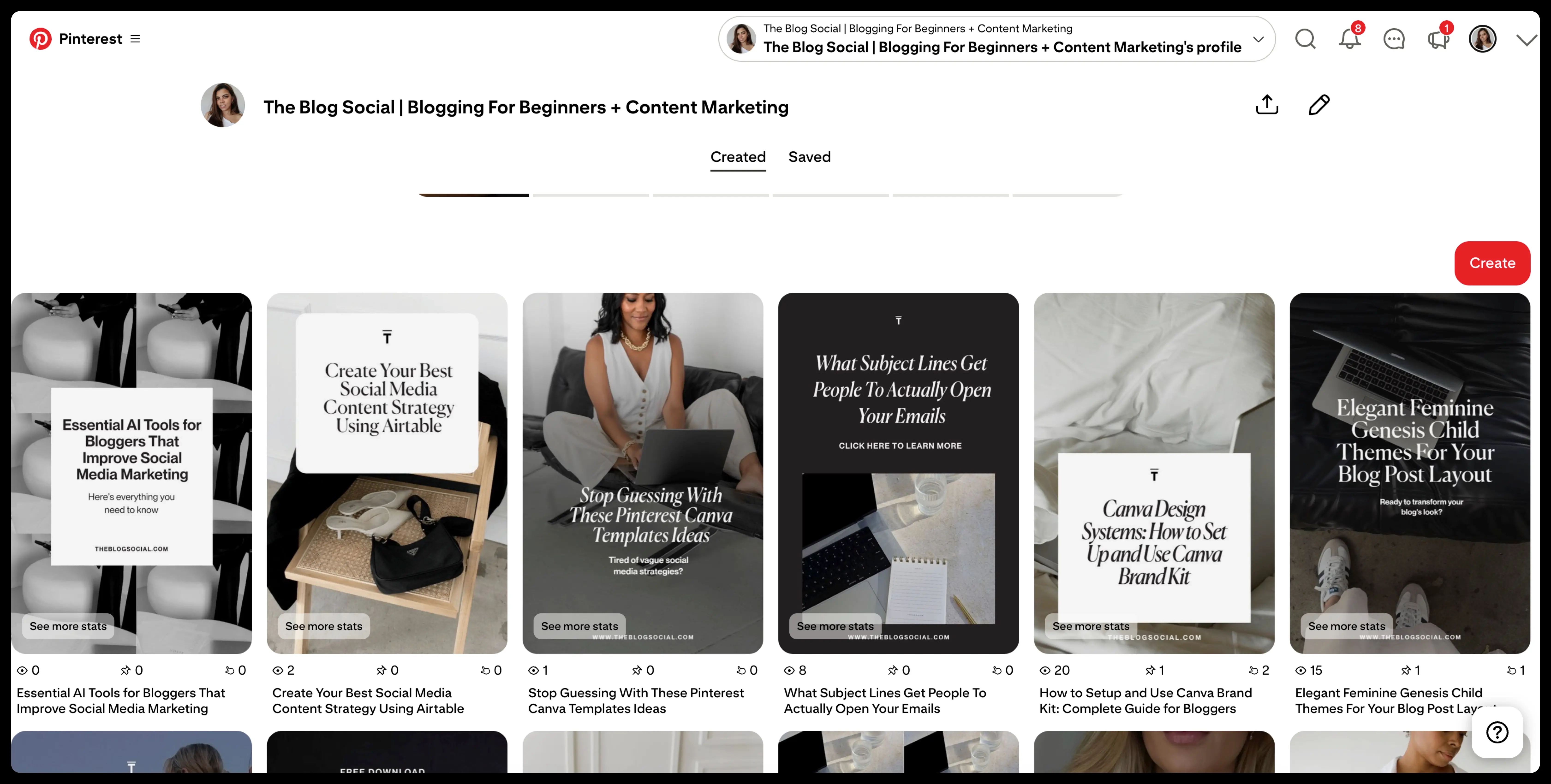
How to Use Pinterest for Blog Traffic (Without Burning Out)
Pinterest gets dismissed as “too much work,” but that’s usually because people are doing it the hard way. Here’s the smarter approach:
Step 1: Set Up Your Pinterest Business Account
Switch to a business account (it’s free) so you can access Pinterest Analytics and enable Rich Pins. Rich Pins automatically pull metadata from your blog posts, making your pins more clickable and trustworthy.
Step 2: Create a Pinterest Content Strategy
You don’t need to pin 50 times a day.
- Aim for 10-15 pins per day (yes, daily consistency matters)
- Mix fresh pins with repins from others in your niche
- Pin to relevant boards, not just your own
Step 3: Design Scroll-Stopping Pins
Your pin design doesn’t need to win awards, but it does need to:
- Use vertical dimensions (1000x1500px is ideal)
- Include clear, readable text overlays
- Showcase the value of clicking through
- Match your blog’s branding for recognition
Step 4: Write SEO-Friendly Pin Descriptions
Pinterest is a search engine, so treat your descriptions like mini blog posts:
- Include your target keyword naturally
- Write 100-450 characters (closer to 450 performs better)
- End with a clear call-to-action to click through
Step 5: Use Pinterest Automation Tools
Manually pinning 15 times a day isn’t sustainable. Use scheduling tools like:
- Tailwind (built specifically for Pinterest)
- Later
- Metricool
These tools let you batch-create pins once per month and schedule them to post daily.
Step 6: Track What’s Working
Check your Pinterest Analytics monthly to see:
- Which pins drive the most clicks to your blog
- What time of day your audience is most active
- Which boards perform best
Double down on what works. Ditch what doesn’t.
Should You Quit Other Social Media Platforms for Pinterest?
Not necessarily. But you should definitely rethink how much time you’re spending where.
The best social media strategy for bloggers in 2026 looks like this:
- Pinterest (60% of your time): Your primary blog traffic driver
- One secondary platform (30% of your time): Instagram, TikTok, or LinkedIn for community building
- Everything else (10% of your time): Repurposing content or engaging occasionally
This isn’t about doing it all. It’s about doing what actually moves the needle for your blog.
Why Pinterest Strategy for Bloggers Works in 2026
Let’s talk numbers. According to Pinterest’s own data:
- 85% of weekly Pinners have made a purchase based on pins they saw
- Pinterest users are 40% more likely to click through to websites than users on other platforms
- The platform has over 450 million monthly active users
But here’s what really matters: Pinterest users are planners, not scrollers. They’re saving ideas for later, researching before they buy, and actively looking for content like yours.
That’s the difference between someone who double-taps your Instagram post and someone who clicks through to your blog, subscribes to your email list, and becomes a loyal reader.
Common Pinterest Mistakes Bloggers Make
Even when bloggers commit to Pinterest, they often sabotage their own success with these mistakes:
Mistake #1: Inconsistent Posting Schedule
Pinterest rewards daily activity. Pinning 50 times one week and ghosting for three weeks tanks your momentum. Consistency beats intensity every time.
Mistake #2: Only Pinning Your Own Content
Pinterest wants you to be a helpful curator, not a spammy self-promoter. Pin content from others in your niche (about 70% of your pins should be others’ content, 30% your own).
Mistake #3: Ignoring Pinterest SEO
If your pin titles and descriptions don’t include the keywords people are searching, you won’t show up in search results. Period.
Mistake #4: Giving Up Too Soon
Pinterest isn’t Instagram. You won’t see results in a week. Give it 90 days of consistent effort before you decide it’s not working.
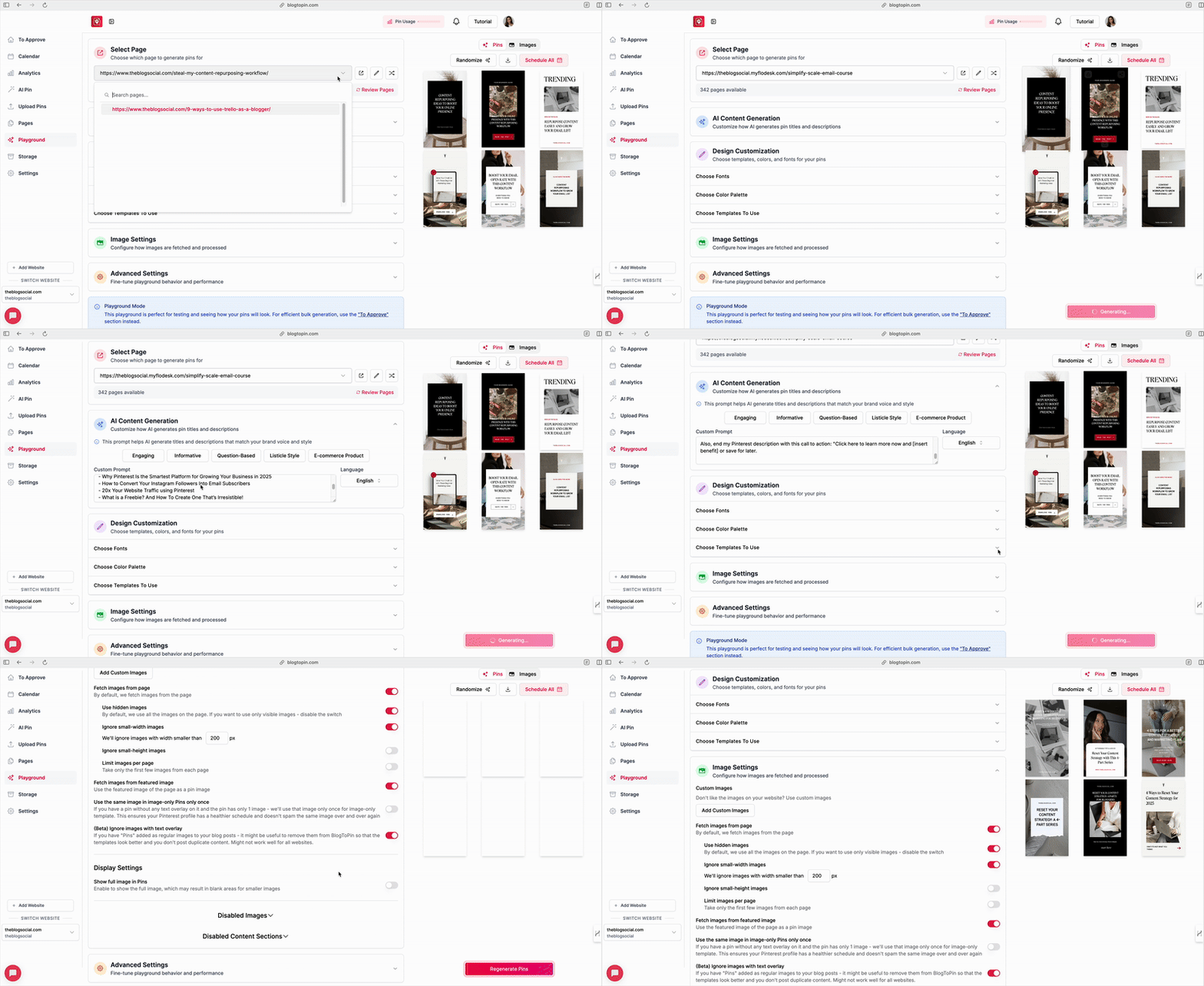
Pinterest Marketing Tools to Save You Time
You don’t need a massive budget to succeed on Pinterest, but these blog tools make life easier:
Free Tools:
- Pinterest Analytics (built into business accounts)
- Canva (free templates for pin design)
- Pinterest Trends (shows what’s popular in your niche)
Paid Tools Worth the Investment:
- Tailwind ($9.99+/month): Pinterest-specific scheduling and analytics
- Canva Pro ($12.99/month): Access to premium templates and brand kit features
- BlogToPin (starting at $25/month): Pinterest automation and scheduling that turns your blog posts into pins automatically
Start with the free options. Upgrade when Pinterest is already driving noticeable blog traffic.
Make Money Blogging with a Pinterest-First Strategy
Pinterest isn’t just about blog traffic—it’s about profitable blog traffic. Here’s why:
Pinterest users are in a buying mindset. They’re searching for solutions, planning projects, and looking for recommendations. When you show up in their search results with a helpful blog post, you’re meeting them at the perfect moment.
That means:
- Higher affiliate commission conversion rates
- More email subscribers (because visitors are genuinely interested)
- Better digital product sales (they came looking for solutions)
- Increased ad revenue (more traffic = more impressions)
Pinterest is also one of the best platforms for faceless account ideas. You can build a thriving Pinterest presence without ever showing your face on camera, making it ideal for introverted bloggers or those who prefer staying behind the scenes.
Your Next Steps: Choosing the Right Platform for Your Blog
Every blogger is different, but here’s the simple truth: if you want blog traffic without spending your life on social media marketing tools, Pinterest should be your main focus.
Not sure where to start? Try this 30-day Pinterest experiment:
- Week 1: Set up your business account and optimize your profile
- Week 2: Create 10 pins for your best blog posts and start pinning daily
- Week 3: Design 10 more pins and begin engaging with other content
- Week 4: Check your Pinterest Analytics and adjust your strategy
After 30 days, you’ll know if Pinterest is worth the investment for your specific blog and niche.
Final Thoughts: Strategy Beats Hustle
You don’t need to be on every platform. You need to be on the right platform—and for bloggers in 2026, that’s Pinterest.
Stop posting and hoping. Start pinning with purpose.
Want to simplify your Pinterest content strategy even more? Grab my free ChatGPT Prompts for Pinterest Marketing and start creating scroll-stopping pins in half the time. Your blog traffic will thank you.
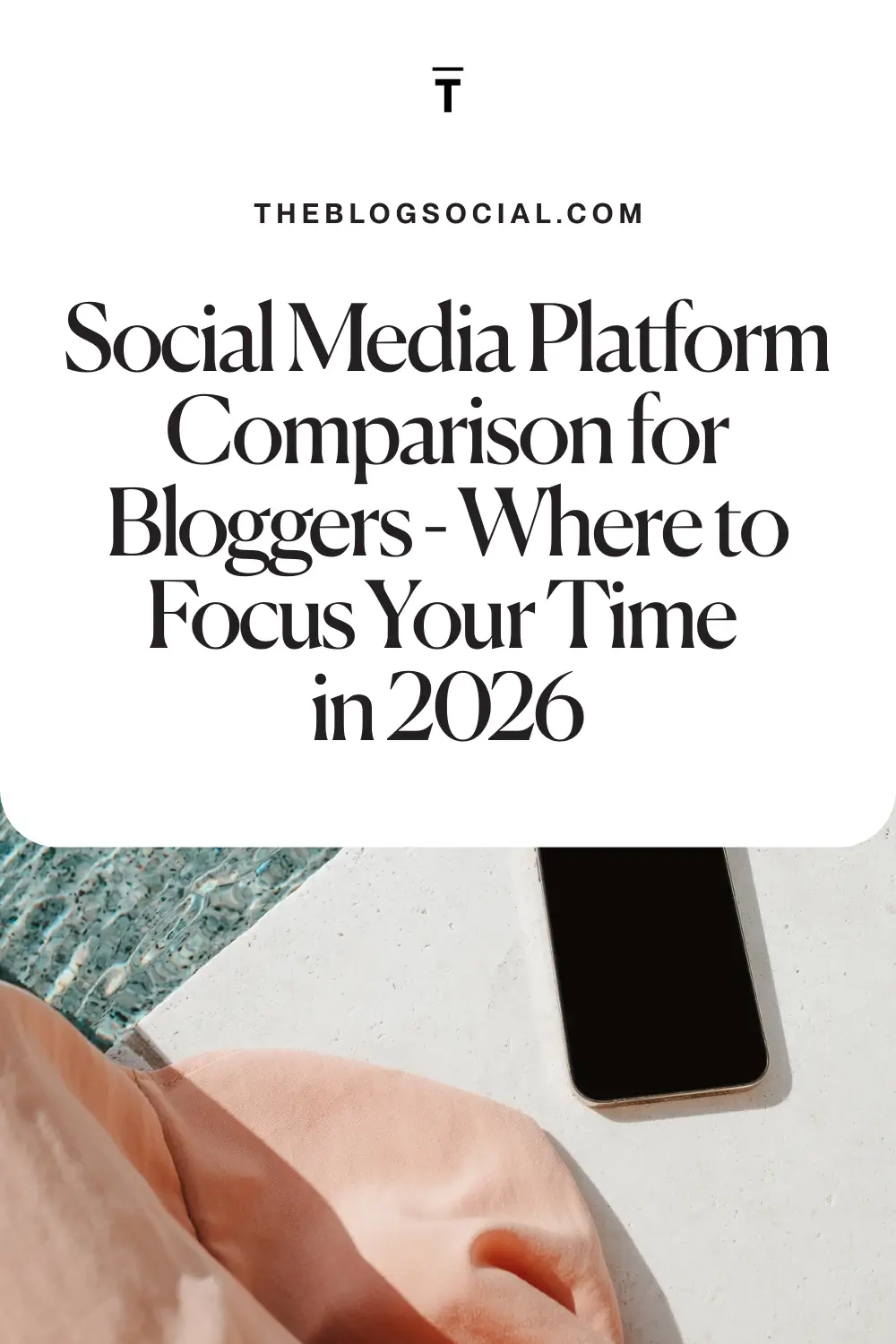
Pin for later






This is all such great information! I didn’t realize different social media can be so different when you post/pin/etc. Thanks for sharing!
All of these are fantastic tools to make money, Candice! I use many of them, but have always wanted to try BlogtoPin, I’m so intrigued by it, I always create my own pins in Canva but that would be so helpful if it did it for me!
Make Life Marvelous
That’s so true, BlogtoPin is a huge time-saver! It really speeds up the Pinterest process so you can focus on content creation.
Love all of these blog traffic tips for the holidays, Candice! It’s so hard to believe it’s almost holiday time and it’s always great to get ahead as much as possible with content.
Wishing you a wonderful rest of your week! 🙂
Make Life Marvelous
Great tips, Candice! It’s very eye-opening just how important building your email list is. Thanks for the helpful information!
Totally agree – an email list is gold! Glad the post was helpful. Do you already have a list started, or are you planning to set one up soon?
It’s so important to do double duty with posts. Thanks for the information to help make posts perform better for pinterest!
Absolutely – double duty posts are a game-changer! Glad the Pinterest tips helped.
This is such great info!!!
Jennifer
https://curatedbyjennifer.com
You are the queen of helpful blog posts, Candice, I’m convinced! This post is full of great info to help blog posts rank well on search engines and Pinterest. I really need to utilize a lot of your Pinterest tips, I’ve fell off that bandwagon except for sharing my blog posts once they’re uploaded on there.
Wishing you a wonderful rest of your week! 🙂
Make Life Marvelous
Absolutely fabulous (and important) information! Thanks for sharing!
I need to check out those stock photo libraries you suggested! And the blogtopin sounds really helpful too!