





Ever find yourself staring at a blank screen at 11 PM, frantically trying to remember that brilliant blog post idea you had in the shower three weeks ago? Yeah, me too. And here’s the thing—your scattered blog ideas aren’t just frustrating, they’re costing you time, energy, and ultimately, money.
Real talk: the difference between bloggers who burn out and those who build money-making blogs isn’t talent or luck. It’s having a solid blog organization system that keeps their content machine running smoothly, even on their off days.
Today, I’m breaking down exactly how to organize your blog content so you can stop the overwhelm and start building that blogging schedule that actually works for you.
Table of Contents
Why Blog Organization Matters More Than You Think
Let’s be honest—most of us start blogging with zero plan. We write when inspiration strikes, publish whenever we remember, and hope for the best. But here’s what I learned the hard way: inspiration is unreliable, but systems are scalable.
When you organize blog content properly, you’re not just making your life easier (though you absolutely are). You’re creating a foundation for a blog that can actually make you money while you sleep. Because consistency beats perfection every single time.
Save this tip for later: The most successful bloggers I know spend more time planning their content than creating it.
The Blog Management System That Changed Everything
After trying every blog content planner under the sun, I finally cracked the code on a system that works. It’s called the “Capture, Categorize, Calendar” method, and it’s about to revolutionize your blog planning tips game.
Step 1: Capture Everything (And I Mean Everything)
Your first job is to become an idea-catching machine. Set up these capture points in your editorial calendar:
- A “Blog Ideas” note in your phone for those random shower thoughts
- A running list in your favorite note-taking app (I’m obsessed with Notion for this)
- A bookmark folder for articles that spark content ideas
- A voice memo app for when you’re driving and inspiration hits
The goal isn’t to judge these new content ideas yet—just catch them before they disappear forever.
Step 2: Categorize Like a Content Queen
Once a week, dump all your captured ideas into your main blog content planner. This is where the magic happens. Sort your blog topic ideas into these categories:
Evergreen Content (70% of your content)
- How-to guides and tutorials
- “Blogging 101” foundational posts
- SEO for bloggers’ content that stays relevant
Trending Topics (20% of your content)
- Industry news and updates
- Seasonal content
- Current events in your niche
Personal/Story-Based (10% of your content)
- Behind-the-scenes content
- Your blogging journey and lessons learned
- Case studies from your own experience
Mini tip: Use a simple color-coding system or tags to make this process lightning-fast.
Step 3: Calendar Your Content Strategically
Here’s where your Notion, Rella, or Airtable blog planner becomes your best friend. I map out content 90 days in advance using this formula:
- Monday: Tutorial or how-to post (great for SEO)
- Wednesday: Personal story or behind-the-scenes
- Friday: Roundup, list post, or trending topic
This blogger’s schedule keeps you consistent without feeling repetitive.
The Blog Post Checklist That Saves Hours
Want to know how I can write a blog post in under two hours? I have a streamlined blog post checklist that eliminates decision fatigue:
Pre-Writing Checklist:
- Keyword research completed (target 1-3 main keywords per post)
- Outline drafted with 3-5 main points
- Internal linking opportunities identified
- Call-to-action planned
Writing Checklist:
- Compelling headline written (spend 20% of your time here)
- An introduction hooks the reader within the first 100 words
- Each section delivers on the headline promise
- Conclusion includes a clear next step
Post-Writing Checklist:
- SEO optimization complete (meta description, alt text, etc.)
- Internal and external links added
- Social media graphics created
- Email newsletter draft written
This might seem like a lot, but trust me—having a system eliminates that “what do I do next?” paralysis that kills productivity.
Blog Planning Tips That Actually Work
After years of trial and error, here are the blog planning tips that moved the needle for me:
Batch Your Blog Content Planning
Instead of planning content week by week, dedicate one afternoon per month to mapping out your entire content calendar. Your brain stays in “planning mode” longer, and you make better strategic decisions.
Theme Your Months
Pick monthly themes that align with your audience’s needs:
- January: Goal-setting and planning
- March: Spring cleaning and organization
- September: Back-to-school productivity
This approach makes content planning feel less random and more intentional.
Build Your Content Foundation
Before you dive into trendy topics, make sure you have solid foundational content about setting up a blog, blogging ideas for beginners, and other evergreen topics your audience needs.
Blogging Tools That Actually Save Time
I’m not going to recommend 47 different tools (because who has time for that?). Here are the three categories of blogging tools that actually matter:
- Content Planning: Notion, Trello, or even a simple Google Sheet
- Writing and SEO: Your blog platform’s editor plus a tool like Yoast or RankMath
- Graphics: Canva with custom templates that match your blogging aesthetic
The key isn’t having the fanciest tools—it’s using whatever you choose consistently.
Creating Your Notion Board for Blog Success
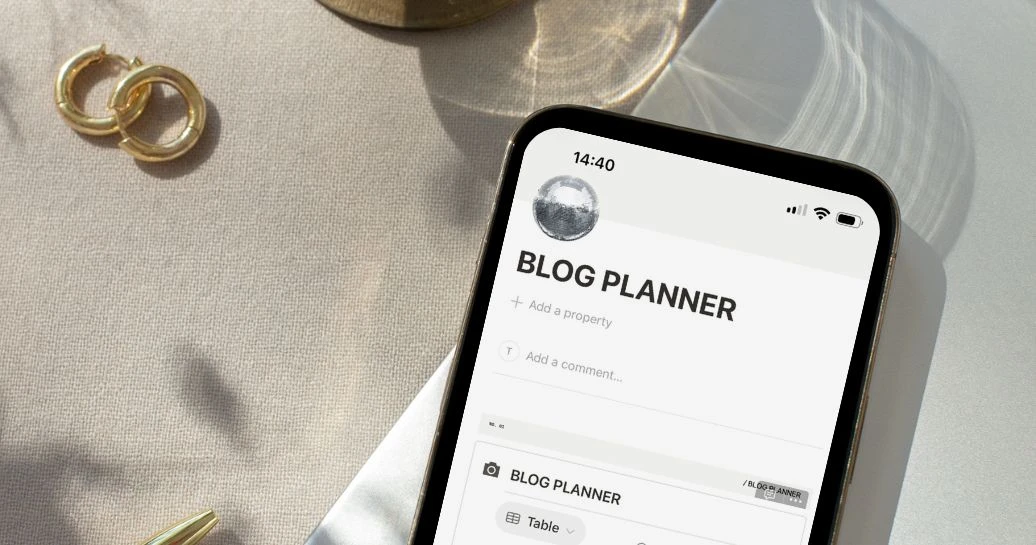
Since everyone’s asking about notion board setups, here’s my simplified template:
Content Pipeline Database:
- Idea Status (Captured, In Progress, Published)
- Category (Tutorial, Personal, Trending)
- Target Keywords
- Publish Date
- Performance Tracking
Content Calendar View:
- Monthly overview of all planned posts
- Color-coded by category
- Quick glance at content gaps
Keep it simple, or you’ll spend more time organizing your organization system than actually creating content.
Blog Writing Tips for Maximum Productivity
The fastest way to boost your blog writing productivity? Stop trying to write perfect first drafts. Here’s my process:
- Brain dump everything you want to say about the topic
- Organize the dump into a logical flow
- Write the first draft without editing
- Edit for clarity and flow in a separate session
- Polish for SEO and readability last
This approach lets you work with your brain instead of against it.
Plan Blog Content Ideas Like a CEO
Here’s what I wish someone had told me when I started: plan blog content like you’re running a business, because you are. Every piece of content should serve a purpose:
- Traffic: SEO-optimized content that brings in new readers
- Trust: Value-packed tutorials that establish expertise
- Revenue: Content that naturally leads to your products or services
When you approach content planning strategically, your blog becomes a traffic and revenue machine instead of just a creative outlet.
Your Next Steps
Ready to transform your chaotic content creation into a productivity powerhouse? Start here:
- Choose one capture method and use it for a week
- Set aside two hours to organize all your existing blog ideas
- Create a simple content calendar for the next month
- Write your first blog post checklist
Remember: you don’t need a perfect system—you need a system you’ll actually use. Start simple, then optimize as you go.
Need help capturing all those brilliant blog ideas? Grab my FREE Airtable Social Media Content Calendar! It includes a content ideas bank, multiple view options (calendar, kanban, grid), and everything you need to organize your blog content like a pro. Perfect for turning your scattered thoughts into a strategic content plan—link below!
Which organizational tip will you implement first? Drop a comment below and share this post with a fellow blogger who needs to see it!
Pin for later …








This is all such great information! I didn’t realize different social media can be so different when you post/pin/etc. Thanks for sharing!
All of these are fantastic tools to make money, Candice! I use many of them, but have always wanted to try BlogtoPin, I’m so intrigued by it, I always create my own pins in Canva but that would be so helpful if it did it for me!
Make Life Marvelous
That’s so true, BlogtoPin is a huge time-saver! It really speeds up the Pinterest process so you can focus on content creation.
Love all of these blog traffic tips for the holidays, Candice! It’s so hard to believe it’s almost holiday time and it’s always great to get ahead as much as possible with content.
Wishing you a wonderful rest of your week! 🙂
Make Life Marvelous
Great tips, Candice! It’s very eye-opening just how important building your email list is. Thanks for the helpful information!
Totally agree – an email list is gold! Glad the post was helpful. Do you already have a list started, or are you planning to set one up soon?
It’s so important to do double duty with posts. Thanks for the information to help make posts perform better for pinterest!
Absolutely – double duty posts are a game-changer! Glad the Pinterest tips helped.
This is such great info!!!
Jennifer
https://curatedbyjennifer.com
You are the queen of helpful blog posts, Candice, I’m convinced! This post is full of great info to help blog posts rank well on search engines and Pinterest. I really need to utilize a lot of your Pinterest tips, I’ve fell off that bandwagon except for sharing my blog posts once they’re uploaded on there.
Wishing you a wonderful rest of your week! 🙂
Make Life Marvelous
Absolutely fabulous (and important) information! Thanks for sharing!
I need to check out those stock photo libraries you suggested! And the blogtopin sounds really helpful too!