




Let me be real with you for a second.
If you’ve been sleeping on AI tools as a blogger, you’re not behind, but you’re about to be if you don’t start paying attention.
And before you roll your eyes and think “great, another person telling me ChatGPT will write my blog posts” – that’s not what this is. This series is about using AI strategically, as a thinking partner and automation workflow tool, not a content vending machine.
We’re starting with the basics: What is Claude AI? How does it actually work? And more importantly, why should bloggers like you care about it as part of your content creation toolkit?
Grab something to sip. Let’s get into it.

So, What is Claude AI, Exactly?
Claude AI is a conversational AI assistant built by Anthropic, a safety-focused AI company founded in 2021. Think of it as a highly capable writing and thinking partner that you can talk to, ask questions, brainstorm with, and yes, get writing help from.
Claude is designed to be helpful, harmless, and honest. That last bit matters more than you’d think when you’re using AI for your content strategy and blog writing.
Unlike tools that will confidently make up statistics or tell you what you want to hear, Claude is designed to be upfront when it doesn’t know something or when a question is genuinely complex for bloggers building a profitable blog on trust and authority, which matters.
How is Claude AI Different from ChatGPT
This is the question I get asked the most, so let’s settle it clearly. Both are large language model AI tools trained on massive amounts of text, but they have some meaningful differences that bloggers should know about.
Here’s the honest breakdown:
CLAUDE AI:
– Built by Anthropic with a strong focus on safety and nuance
– Exceptionally strong at long-form writing, following detailed instructions, and maintaining tone and voice across long pieces
– Handles large amounts of context in a single conversation: meaning you can paste in your entire blog content draft and ask it to rework a section without losing the thread
– Tends to write in a more natural, less “AI-sounding” way, which is gold for bloggers
– Great for working through complex content strategy decisions with nuance
CHATGPT (by OpenAI):
– Wider integration with third-party tools via plugins
– Strong at code and technical tasks
– Has a larger public user base, meaning more tutorials floating around
– Can feel more formulaic in its writing style at times
My take as a content strategist: for pure blog writing, content strategy thinking, and building a writing workflow, Claude AI consistently produces more nuanced, readable output. It feels less like a robot and more like a smart collaborator who actually read your brief.
That said, the best AI tools for bloggers aren’t about picking one and ignoring the rest; it’s about knowing what each does well.
Why Bloggers Specifically Should Care About Claude AI
If we’re being honest, most AI tutorials for bloggers are written by tech people, not content people. So the advice often misses what actually matters for building a profitable blog.
Here’s why Claude AI is different from a blogging perspective:
1. It understands nuance and context
You can give Claude a detailed brand voice brief, and it will actually follow it. Tell it your audience is millennial women navigating career transitions, that you write with warmth and wit, and that you avoid corporate jargon, and it will hold that brief across a long writing session.
2. It’s a genuinely useful content strategy partner
This is where it shines for me. You can use Claude to pressure-test your content ideas, map out a content cluster, identify keyword angles you haven’t considered, or workshop your post structure before you write a single word. That’s content strategy support, not just blog writing assistance.
3. It helps you write faster without sounding like a robot
One of the biggest concerns bloggers have about using AI is losing their voice. Claude AI is one of the better tools for avoiding this, especially when you give it clear instructions and treat it like a collaborator rather than a ghostwriter.
4. It’s a blogging productivity tool that actually stacks
Once you build a workflow with Claude, it compounds. Your content planning gets faster. Your research gets faster. Your drafting gets faster. And critically, you still own the strategy and the voice, you’re just removing the friction.
What Can You Actually use Claude AI for as a Blogger?
Let’s get practical. Here are the core ways bloggers are using Claude AI right now:
CONTENT IDEATION
- Generating blog post ideas based on a topic or keyword cluster
- Brainstorming angles that haven’t been overdone
- Identifying content gaps in a niche
- Building out a content calendar structure
BLOG WRITING SUPPORT
- Drafting outlines before you write
- Writing first drafts from a detailed brief
- Expanding bullet points into full sections
- Rewriting sections that aren’t landing
- Editing for clarity, tone, and flow
SEO AND CONTENT STRATEGY
- Researching how to structure a post around a keyword
- Writing meta descriptions and Pinterest descriptions
- Brainstorming internal linking strategies
- Identifying secondary and LSI keywords to weave in naturally
REPURPOSING AND DISTRIBUTION
- Turning a blog post into an email newsletter
- Writing social captions from a blog post
- Creating Pinterest pin descriptions
- Summarising a long post into a punchy intro for your link-in-bio
BUSINESS AND BRAND TASKS
- Drafting pitch emails to brands
- Writing product descriptions for digital products
- Creating an FAQ section for a sales page
- Proofreading and polishing any copy
Related: How to Batch a Full Month of Blog Content in One Weekend (Without Burning Out)
Claude AI Tips for Bloggers – Before You Dive In
Before you open Claude and start typing, here’s what will make the difference between “meh, this is fine” and “wait, this actually sounds like me”:
1. Give it context. Always.
Claude works best when you tell it who you are, who your audience is, and what your brand voice sounds like. Don’t just ask for a blog post; give it the full brief. The more context, the better the output.
2. Treat it like a smart collaborator, not a vending machine
The bloggers who get the most out of Claude AI are the ones who use it to think, not just produce. Ask it to challenge your ideas. Ask it to give you three different angles. Ask it what you’re missing. Use it as a thinking partner.
3. Always edit. Always.
This is non-negotiable. Claude AI will get you 70-80% of the way there, but your final layer of editing is what adds the real you. Your specific examples, your turns of phrase, your lived experience. AI can’t replicate that. Don’t skip this step.
4. Build prompts you can reuse
Once you find a prompt that works for your content structure, your intro style, and your newsletter format, save it. Your prompt library is one of your most valuable blogging productivity tools.
5. Be specific about what you don’t want
Just as important as telling Claude what to write is telling it what to avoid. Don’t want em-dashes? Say so. Don’t want bullet points in the intro? Say so. The more specific, the less editing you’ll have to do.
Related: How to Choose the Right Social Media Platforms for Marketing Your Blog
Is Claude AI Free?
Claude AI has a free tier that gives you access to Claude without paying, which is a great place to start and get a feel for how it works.
The paid plan (Claude Pro) gives you higher usage limits, priority access during peak times, and access to the most capable version of the model. For bloggers using it regularly as a content creation tool, the paid plan is worth considering once you’ve tested the free version and decided it fits your workflow.
For most bloggers just starting out, the free version is more than enough to explore and experiment.
How to Get Started with Claude AI (Claude AI Tutorial for Beginners)
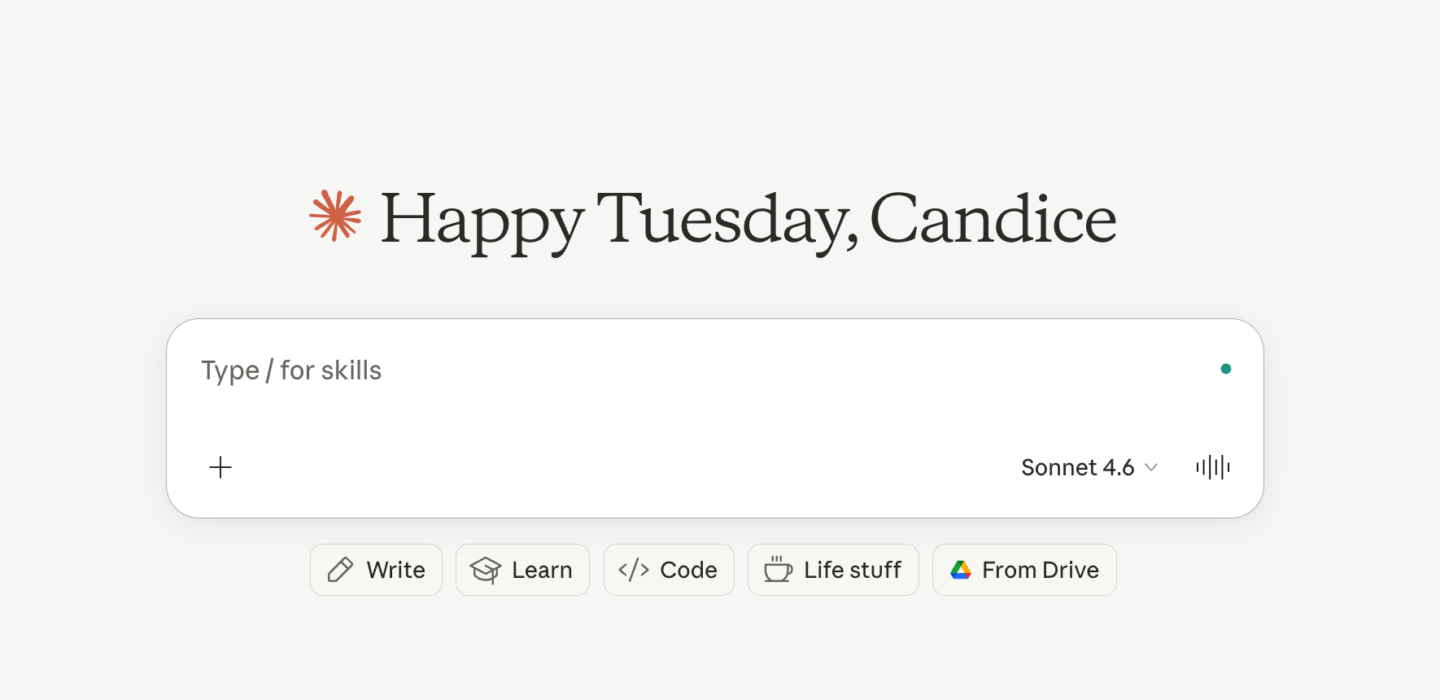
Step 1: Head to claude.ai and create a free account.
Step 2: Start a new conversation and introduce your context. Something like: “I’m a lifestyle blogger writing for millennial women interested in [your niche]. My brand voice is [warm/witty/direct – describe yours]. I’m going to be asking you to help me with blog writing, content strategy, and social content. Here’s a bit more about my brand: [paste your brand brief or voice notes].”
Step 3: Start with one task. Don’t try to do everything at once. Ask Claude to help you outline a blog post you’ve been putting off. See how it responds. Give it feedback. Build from there.
Step 4: Refine as you go. The first session probably won’t be perfect. That’s normal. The more you use it and the more context you give it, the better your results.
Bottom Line: Why Bloggers Should Care
AI tools like Claude aren’t coming for your blog, but they are changing what it means to be a productive, strategic blogger. The bloggers who learn how to use these tools well are going to be able to produce more content, at a higher quality, with less burnout.
And for South African bloggers building a profitable blog from scratch, that efficiency matters. Every hour you save on drafting is an hour you can spend on strategy, community building, or creating the offers that actually generate income.
Claude AI isn’t the whole strategy. But it’s a damn good tool to have in the bar cart. This series is going to walk you through exactly how to use it, from content planning to full post-production. Stick around.
If you found this helpful, save it for later, and make sure you’re subscribed to The Spicy Margarita Newsletter so you don’t miss the next post in this series.






2 Responses
This was a really interesting post. I love that you compared Claude AI and CHATGPT.
Julia x
thevelvetrunway.com
Really interesting read! I’ve heard so much about Claude lately, but I appreciated how clearly you broke down what it is, how it compares to other AI tools, and where it can actually be useful in everyday work. AI changes so quickly that simple explanations like this are incredibly helpful.